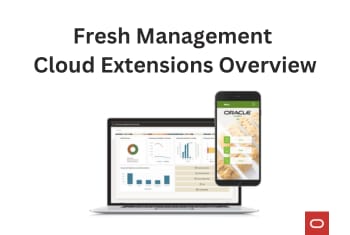
Fresh Item Management Cloud Extensions Overview
Explore the new Oracle Retail cloud extensions for fresh item management that provides systematic support of the food preparation process to increase the accuracy of tracked inventory while maintaining operational efficiency. In-store production detailed plans, recipes and ingredients management, and shopping and detailed costs are embedded into the solution.
Fresh Food By Value Creation
GROCE RY
In grocery, the term “fresh” is often used to describe products carried in a store that require special handling and labor for preparation, such as baking bread in the bakery or cutting down steaks in the butchery, or have short shelf lives, such as the produce department. These item types have special requirements to efficiently manage the planning, ordering, manufacturing, and inventory management functions in these departments, as well as ensuring they are ethically sourced and waste is minimized.
The diagram to the right shows a typical grocery store layout. The sections highlighted ( ) have distinct behaviors as they involve some type of labor to prepare the goods for selling, such as baking bread in the bakery or cutting down steaks in the butchery, or have short shelf lives, such as the produce department. These item types are managed in an application typically referred to as a fresh item management solution.
What Makes Fresh Unique?
Copyright @2023 Oracle and/or its affiliates. All rights reserved.2
Challenges in Grocery
Copyright @2023 Oracle and/or its affiliates. All rights reserved.3
Fresh Food
4 Copyright © 2022, Oracle and/or its affiliates
Manage products build up of other products – with transformation – has been for long a struggle for Retailers.
Provide systematic support of the food preparation process to increase the accuracy of tracked inventory whilst at the same time maintaining operational efficiency.
In-store production detailed plans, recipes and ingredients management, shopping and detailed costs are embed into the solution.
Quickly enable your existing ERP with a fully integrated solution enabling Prepare for Sale & Break to Sell and Made to Order processes.
Customer Value
Single extension that plugs into MFCS and SIOCS
What are we solving?
Improving Inventory accuracy for Prepare for Sale & Break to Sell Products
Potential Customers
Grocery Retailers
Value Proposition
5
Prepare for Sale & Break to Sell of items ahead of customer request based on a production plan
Made to Order - items made on the spot by customer request
Accurate Inventory of ingredients and finished products
Shopping for ingredient items from the main store to the “Foodservice areas”
Recipe Management to support food production and inventory needs
Detailed Costs for finished items calculated based on ingredients and effort
Copyright © 2022, Oracle and/or its affiliates
Day in the life
6 Copyright © 2022, Oracle and/or its affiliates
7 Copyright © 2022, Oracle and/or its affiliates
Day in the life Mark creates a new Sandwich Recipe
New daily Production Plan created for 50 units
Anne starts shopping using the generated list of required products
produced 50 units and Anne confirms it using the app
Finally, we have acurate inventory and costs
Ingredients Management
In-Store Mobile App
Admin Core Desktop
Components Store Associate focused Ingredients Shopping
In-store Production
Admin, Manager focused
Recipes Management
Production Plan
Copyright © 2022, Oracle and/or its affiliates 8
In-Store Mobile App
Copyright © 2022, Oracle and/or its affiliates9
KEY CAPABILITIES
• Shop - Store assistant has access to the products’ shortage
according to production plan - Guided picking process: based on the most efficient
shopping sequence - Ad Hoc shopping
• Make - Production plan information - Recipe details access - Forward view - Confirm production: auto option
• Adjust - Inventory Alerts - Inventory count
Admin Core Desktop
Copyright © 2022, Oracle and/or its affiliates10
KEY CAPABILITIES • Recipes Management
- Prepare for Sale and Made to Order, where one finished product is created out of multiple ingredients
- Break to Sell, where one Ingredient is used to create multiple finished products
- Capture the number of portions and costs of each ingredient - Option to flag ingredients as wasted by end of day - Digital Content (requires Oracle Content & Experience)
• Production Plans - Manual or auto generated e.g. from Forecast System or
customer/store orders
- Can be recurring or one off (e.g. Special Pizza once a week Monday’s)
• KPI’s - active recipes without an active production plan - Recipes with discontinued/inactive ingredients - Break Items without sellable products attached in active
recipes - Etc.
Prepare for sell
11 Copyright © 2022, Oracle and/or its affiliates
§ Sandwiches are produced in-store, to sell off the shelf throughout the day
§ Based on expected sales, a plan is created to produce 20 Tuna Sandwiches Monday morning
§ MRP validates if enough inventory exists for producing the required items, and creates a shopping list for missing ingredients
§ Based on confirmed production, the inventory of ingredients and finished items is updated
§ Finished Sellable Products Unit Cost calculated based on ingredient portions in Recipe - cost representing Effort can be added
Ingredients Portions Portions
in Recipe Portions needed
Current SOH
Whole Grain Bread 16 Slices 2 portions 40 12
White Tuna 1 can 2 Portions 1 portions 20 0
Corn in a Can 2 kg 75 TS 4 portions 80 18
Mayonnaise 1 L 50 TS 2 portions 40 27
Ingredients Need – SOH = Shopping required
Whole Grain Bread 40 – 12 = 28 portions
2 x Whole Grain Bread
White Tuna 1 can 20 – 0 = 20 portions 10 x White Tuna 1 can
Corn in a Can 2 kg 80 – 18 = 62 portions 1 x Corn in a Can 2 kg
Mayonnaise 1 L 40 – 27 = 13 portions 1 x Mayonnaise 1 L
Prepare for Sale of items ahead of customer request based on a production plan
Break to Sell
12 Copyright © 2022, Oracle and/or its affiliates
§ One ingredient (flagged as Break Item) is turned into one or multiple finished products.
§ ‘Break to Sell’ items have a production plan - user has to enter the number of quantities produced of each finished product.
§ Items will be reduced based on the number of finished products made, using the recipe to validate;
§ Finished products: SOH of finished products will be increased
§ Finished Sellable Products Unit Cost calculated, based on their Break Item Recipe
Break to Sell of items ahead of customer request based on a production plan
Made to Order
13 Copyright © 2022, Oracle and/or its affiliates
§ SOH will be increased to match the number of units sold (as registered in the POS, integrated to SIM/SIOCS) to ensure that the SOH of the sold item does not go negative.
§ Portions: number of available portions will be reduced based on portions used in the making of finished products.
Made to Order - items made on the spot by customer request
Solution Overview
Oracle
IMS
Brand Compliance
Merchandising Cloud
Forecasting
Recipe Ingredient composition (500ml Mayo= 100 teaspoons)
Production quantities
Recipes
Foundation data * Items
Costs & Items
Store Inventory Management
Inventory
Transfers
Point of Sale
Sales
Ingredient order
quantities Supply Chain
Hub
Ingredient orders
Oracle Content & Experience
Digital Content
Copyright @2023 Oracle and/or its affiliates. All rights reserved.14
Zero Waste Cloud Extension
Zero Waste
16 Copyright © 2023, Oracle and/or its affiliates
KEY CAPABILITIES • Monitor products about to expire • Set up intra-day clearances • Print new PLU barcodes • Read Freshness Sensors • Manage shelf inventory
- On clearance - Regular Retail Price - Wasted units
• Store inventory tasks - Scheduled (e.g., stock counts; shelf-life inspections) - Event driven (e.g., stock is low or shelf replenishment).
• Staff support using Oracle Digital Assistant - “How many Fresh items are about to expire?” - “Is any shelf replenishment scheduled in the next hour”?
Day in the life Olivier - Store Assistant
17 Copyright © 2023, Oracle and/or its affiliates
18 Copyright © 2023, Oracle and/or its affiliates
Day in the life
Stock Count
Shelf Replenishment
Open Store
Shelf Inspection
Clearances
Sales
Shelf Replenishment Close Store
Stock Count
19 Copyright © 2023, Oracle and/or its affiliates
Prepare for Opening
Stock Count
Shelf Replenishment
Open Store
Tasks assigned to Olivier: Stock Count and Shelf Replenishment required before opening Store
20 Copyright © 2023, Oracle and/or its affiliates
Store is Open
Alert: “Prepared meals about to expire”
Oliver creates a last-minute deal.
Sarah, a loyal customer, is notified and buys a discounted meal!
Steve, the Store Manager is happy.
Another meal sold!
Another meal prevented from being wasted.
21 Copyright © 2023, Oracle and/or its affiliates
While Olivier is inspecting prepared meals
All discounted cabbages are sold! Food waste was prevented!
Beacon notifications
Being near the Fresh aisle beacon, Olivier is notified to inspect fresh items.
Noticing Cabbages about to spoil, Olivier actions by creating a last-minute deal.
Item Shelf Life Inspection Walkthrough
22 Copyright © 2023, Oracle and/or its affiliates
Zero Waste Item shelf life review
23 Copyright © 2023, Oracle and/or its affiliates
1. Start by opening the inspection task and choose the first item.
2. Scan Freshness Sensors
3. Choose the most appropriate discount to apply
4. Confirm shelf quantities and print the new labels
5. Repeat for all items to conclude your task
Solution Overview
24
Zero WasteMFCS Product Data
Oracle
Logical Groupings
Copyright © 2023, Oracle and/or its affiliates
SIOCS
Inv Adjustments
Inventory Stock Count Schedule
Shelf Replenishment Lists
Schedule a demo today.
25 Copyright © 2022, Oracle and/or its affiliates